Features Recruiting & Contracts Shift planning Time tracking Absences & vacation HR & Payroll AI & communication Industries HospitalityHotel industryEvents & cateringRetailCar repair shops & dealershipsMedical practices & MVZPharmaciesClinics & care homesHome Care & Ambulance ServicesDay-care & social servicesConstruction & TradesManufacturing & logisticsFacility & Security ServicesMunicipalities & public utilitiesOffice & administration
More
Pricing Guides Careers Log in / Try it free
Language
DeutschEnglishFrançaisEspañolItalianoNederlandsPolskiPortuguêsČeštinaDanskSvenskaSuomiΕλληνικάMagyarRomânăБългарскиHrvatskiSlovenčinaSlovenščinaEestiLietuviųLatviešuMaltiGaeilge
Presio / Time Tracking
Time tracking

Cleanly recorded.
No paper.

Clock in via smartphone, browser or kiosk tablet - with automatic break deduction per the Working Hours Act, a time account and corrections by request. Meets the statutory time-tracking obligation.

Try it free See the live demo No credit card · cancellable monthly · no setup fee
To try out
00:00:00

Tap the button - the clock runs just like in the real app.

All features

Time tracking, thought through to the end

Clock in anywhereSmartphone app (iPhone & Android), browser or a shared kiosk tablet with a personal PIN - freely chosen per employee.
Automatic break deductionArbZG break tiers built in: 30 min. after 6 hrs 30 min., 45 min. after 9 hrs 45 min. Self-recorded breaks are credited - only the difference is deducted.
Custom break rulesYour own break brackets per business or per employee - phased in gradually or fixed in place within the shift, as you prefer.
Missing clock-insThe checklist shows open days before the month closes - backfill them in two clicks, done.
Time correction as a requestEmployees suggest corrections, managers approve - with a timeline that shows every day clearly.
working-time accountOvertime is automatically credited to the account; time off in lieu is requested as a full day and offset cleanly.
Clock-in cappingOn request, time only counts from the start of the shift - clocking in 20 minutes early doesn't create unwanted overtime.
Work locationsOffice, home office, EU site, business trip - every clock entry knows its location, and the report shows the breakdown.
Project Times & Cost CentersChoose the project when clocking in, switch during the day, tap at the kiosk - evaluation per project and person with budget and Excel.
Face ID & App LockThe app unlocks with Face ID or a fingerprint - prying eyes never get a look at your time account or contract.
Breaks under the Arbeitszeitgesetz (Working Hours Act)

Presio calculates what the law requires

Drag the slider to a shift length - here's how Presio calculates it at the end of the day (in this example with a 15-minute self-clocked break):

To try out
Gross clocked time8:00 h
Break deduction-
Paid working time-

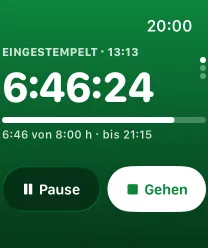
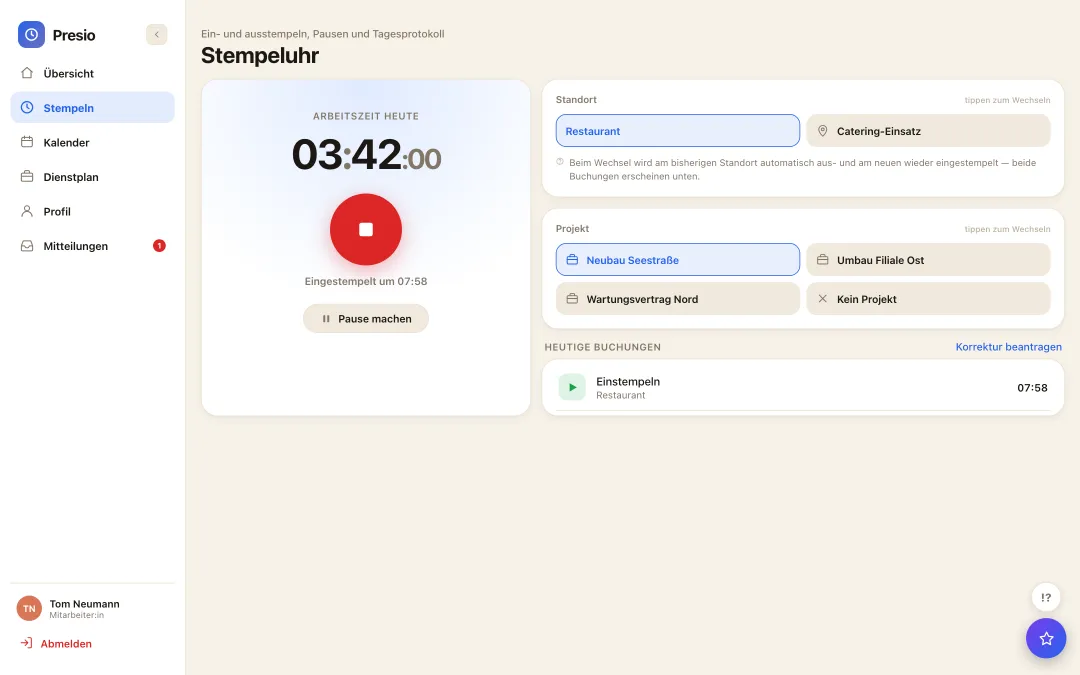
Stempeluhr mit laufender Arbeitszeit, Standortwahl und heutigen Buchungen
The workday at a glance

Time clock, location and daily log on one page

  • One button, done: Clock in, break, clock out - plus the location, with a single tap.
  • Today's entries visible instantly: every clock entry with time and location, correction right alongside it.
  • Covered if you forget: Evening reminders and the checklist before month-end close catch every open day.
For management

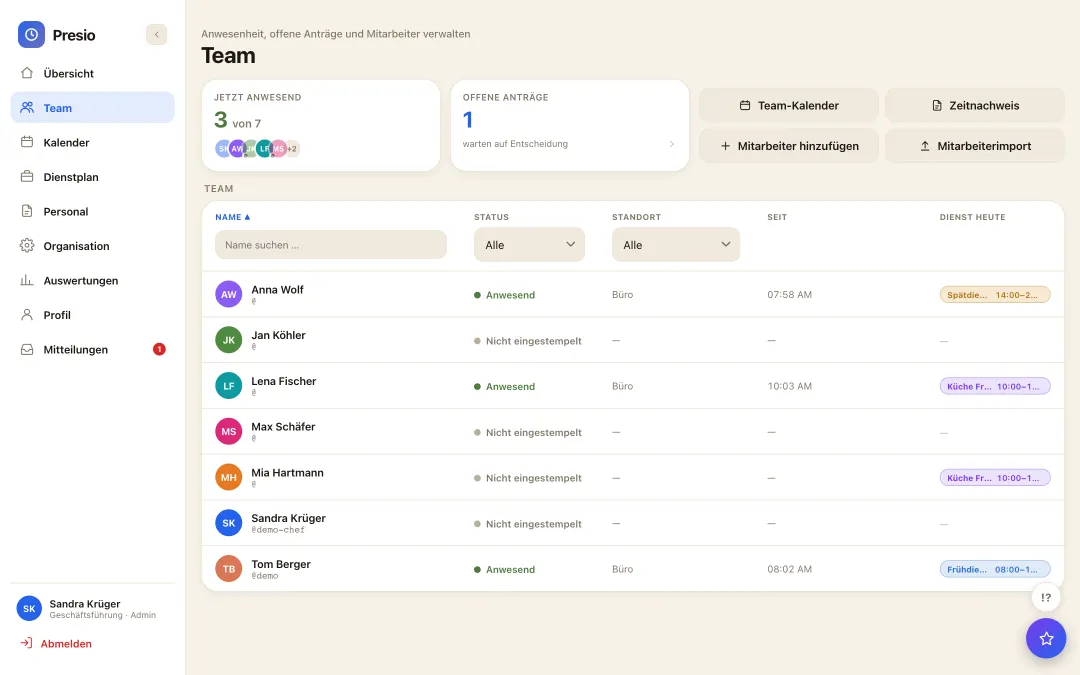
Who's in, since when and where

  • Live overview: present or not, location and time since clocking in - for the whole team at a glance.
  • Search and filter: by name, status or location - found in seconds, even with large teams.
  • Straight on to: Time record, team calendar or open requests - one click away.
Team-Übersicht mit Anwesenheit, Standort und Stempelzeit je Mitarbeiter
Trattoria Beispiel · Kiosk
Kiosk mode

One tablet at the entrance - the whole team clocks in

No smartphone of your own needed: tap, PIN, done - and today's shift shows up right on the screen. Try it out:

For every employee

Your own time record, always at hand

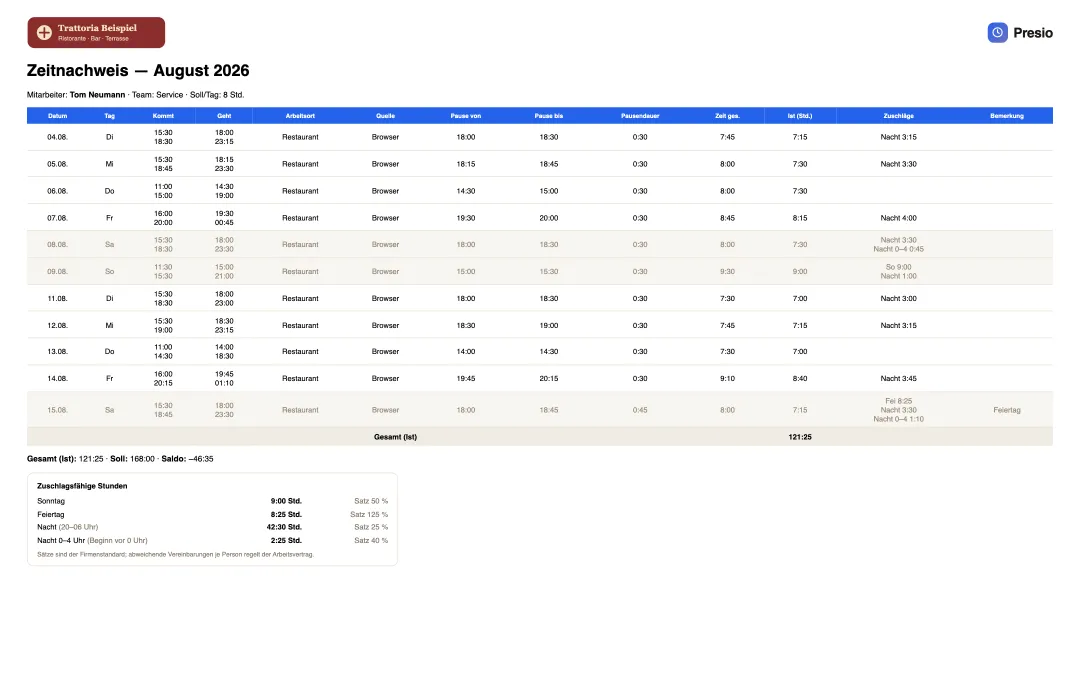
  • Month by month: Total working time, days and every single entry with time and location.
  • Viewable individually: everyone sees their own record, anytime - on phone, tablet or computer.
  • As PDF or Excel: to sign or process further, exported with one click - with the company's logo.
  • Surcharges visible: Sunday, holiday, late and night appear on the timesheet with hours and rate. Whoever can follow what goes into their pay does not need to ask - transparency that creates satisfaction.
Zeitnachweis eines Mitarbeiters mit Firmenlogo, allen Buchungen des Monats und den zuschlagsfähigen Stunden
Frequently asked questions

Quick answers

Does Presio meet the statutory time-tracking obligation?

Yes. Start, end and breaks are recorded systematically and can only be changed afterwards via an approved request - exactly the documentation required by the BAG-Urteil and §2a SchwarzArbG. The time sheet per employee comes as a PDF ready to sign.

What about employees without a smartphone?

Kiosk mode turns a tablet in the business into a shared time clock: everyone clocks in with their personal PIN. Smartphone, browser and kiosk can be mixed per employee.

Can employees manipulate their times?

No. Only an approved correction request can change clock entries - every change stays traceable. Optionally, clock-time capping limits the time to the scheduled shift.
The first time clock is running within ten minutes

Sign up, create your team, get started - try Presio free and with no obligation, no credit card needed.

Start your free trial